NuVe System — SMS Program & Opt-In Disclosure
Last Updated: October 3, 2026
1. Program Overview
NuVe System (operated by NUVE SYSTEM LLC) is a membership and loyalty platform used by independently operated business locations. NuVe System sends two categories of SMS messages:
- Phone Verification (transactional): one-time verification codes (OTP) used to confirm the customer's identity, sent only when the customer requests verification at the check-in tablet. One message per verification request.
- Member Benefits & Promotions (optional): recurring promotional offers, loyalty rewards, special event announcements, and business updates — sent only to customers who separately and expressly opt in.
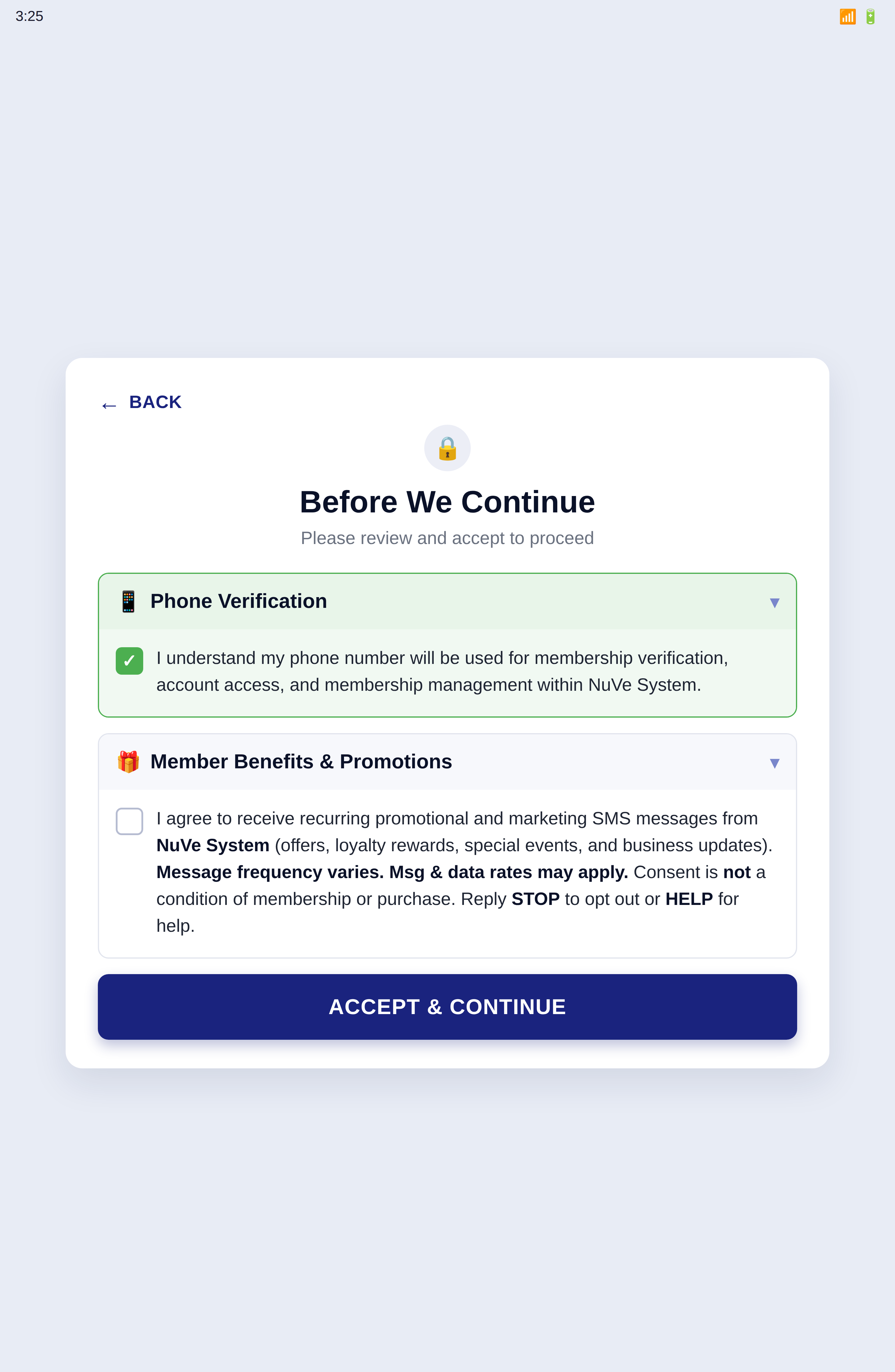
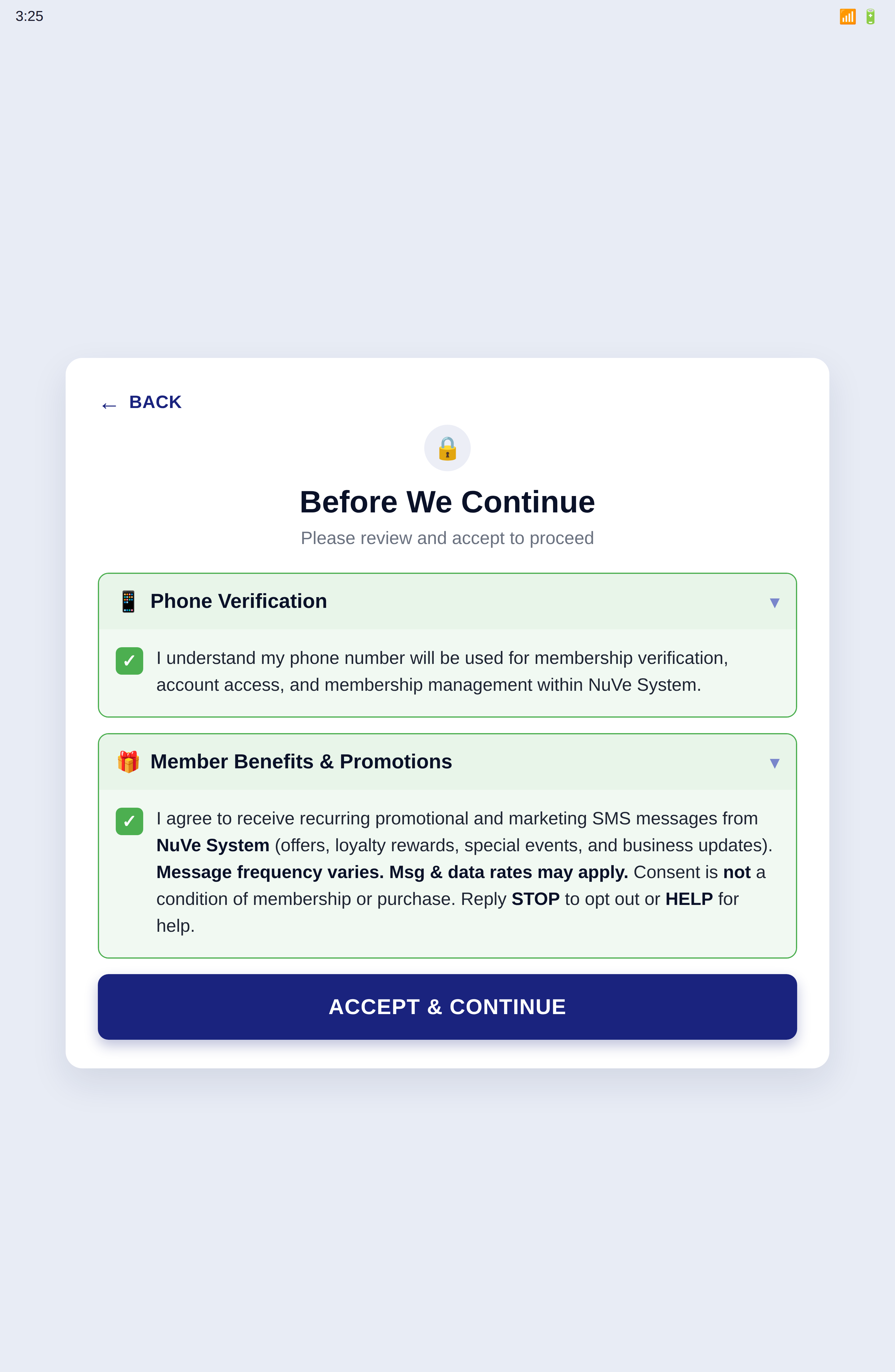
The two categories are presented as two separate consents, each with its own checkbox. Neither checkbox is pre-selected. Accepting phone verification does not opt a customer into promotional messages, and a customer may accept verification while declining promotions.
2. SMS Is Not Required to Use NuVe System
Customers are never required to opt into SMS in order to access the service. Both consents are optional in the sense that matters: a customer who does not wish to receive any text message can still become a member, earn points, and redeem points.
- Staff-assisted alternative: the self-service tablet is one way to check in, not the only way. A customer who declines SMS is checked in at the counter by a staff member instead, with no verification text sent. This alternative is stated in plain view on the consent screen itself — not hidden in fine print — so the customer sees it before deciding.
- Promotional messages are independent: declining the Member Benefits & Promotions consent has no effect on membership, points, rewards, pricing, or any other part of the service.
- Verification is transactional and one-time: if a customer does choose SMS verification, it is a one-time step. Once the number is verified, later check-ins send no further messages.
3. How End-Users Opt In
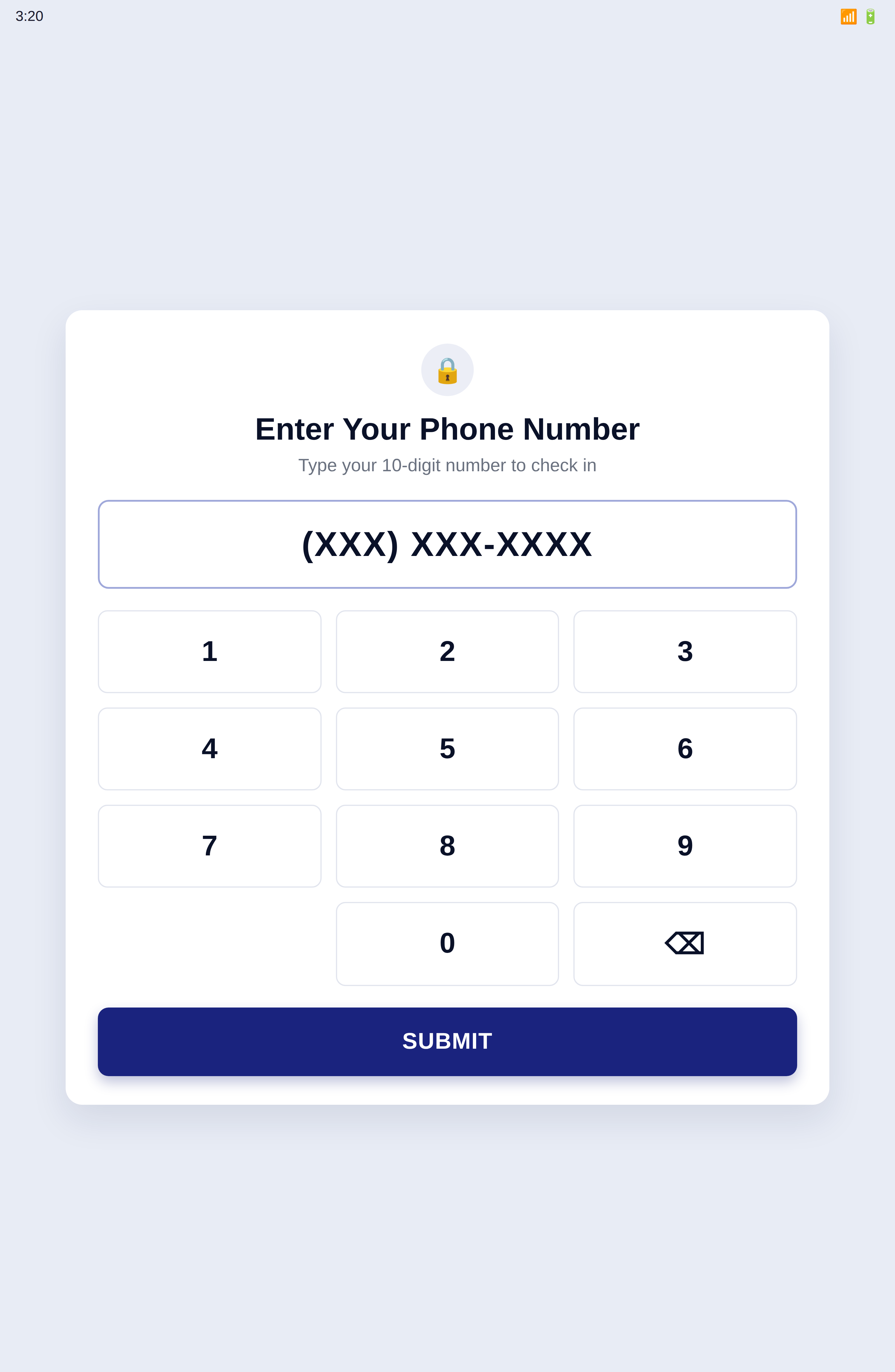
Consent is captured digitally, directly from the customer. During membership check-in or enrollment, after entering their phone number, the customer is shown a consent screen carrying two separate checkboxes — Phone Verification and Member Benefits & Promotions.
Both checkboxes are empty when the screen opens. Neither is pre-selected, pre-checked, or checked on the customer's behalf. The customer must physically tap a box to check it, and the marketing box is never checked as a side effect of checking the verification box. A customer may check the verification box alone and continue; the promotional box can be left empty without blocking anything.
Each opt-in is recorded with a UTC timestamp and location and stored as proof of consent. Promotional messages are sent only to customers whose record shows an affirmative marketing opt-in.
4. Screenshots of the Opt-In Process
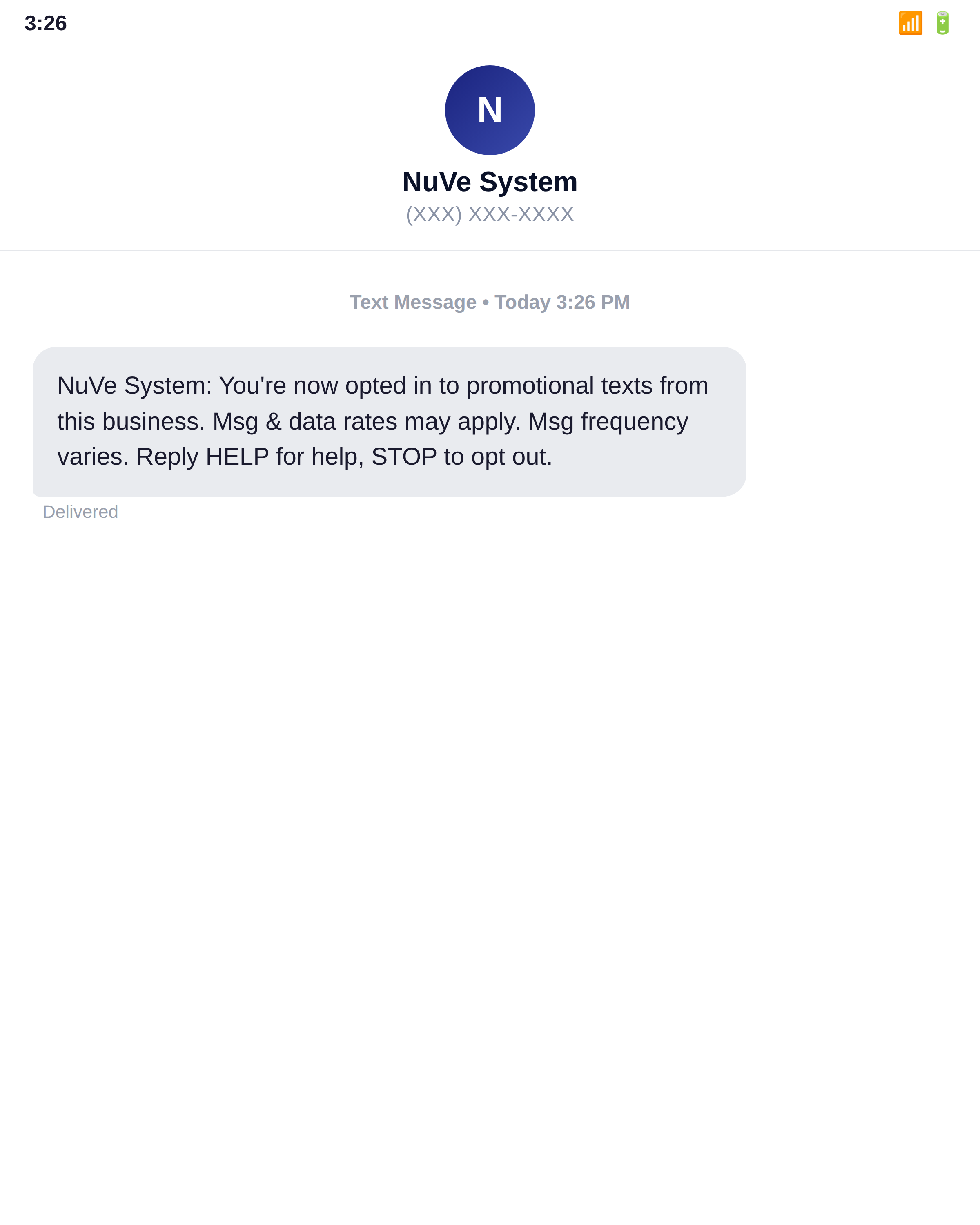
The following screenshots are captured from the live NuVe System check-in flow, in order. They show the consent screen exactly as it opens — with both checkboxes empty and the ACCEPT & CONTINUE button greyed out — followed by the affirmative opt-in and the confirmation message the customer receives. Customer phone numbers are masked for privacy.
5. Example Messages
Verification (required consent):
Promotional (optional consent only):
6. Opt-Out and Support
- STOP: Reply STOP to any promotional message to cancel promotional messages. You will receive one confirmation message and no further promotional messages.
- HELP: Reply HELP to any message, or contact info@nuvesystem.com for assistance.
7. Policies
Privacy Policy · Terms and Conditions
5900 Balcones Drive STE 100
Austin, TX 78731
United States
info@nuvesystem.com
(346) 461-5222